
Smart Home Automation

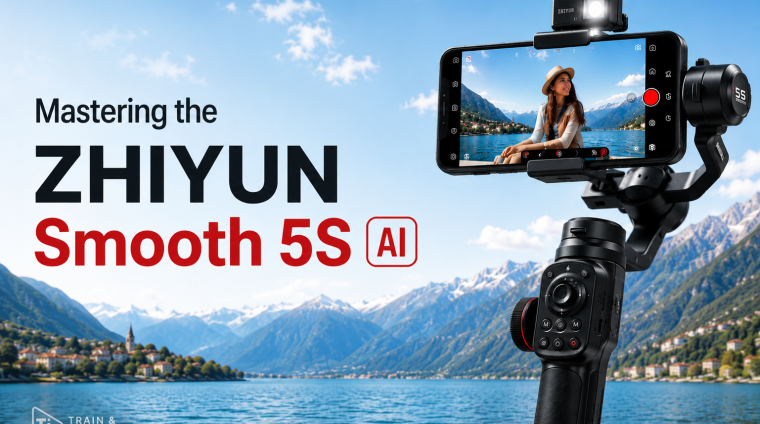
Mastering Zhiyun Smooth 5S AI
What the Course Teaches
Mastering Zhiyun Smooth 5S AI is a complete beginner-to-advanced course designed to teach students how to set up, operate, control, troubleshoot, and creatively use the Zhiyun Smooth 5S AI smartphone gimbal.
The course begins with the fundamentals, including hardware identification, package contents, charging, mounting, balancing, axis movement, controls, buttons, indicators, and gimbal modes. Students then progress into AI tracking, gesture control, custom framing, app-based shooting, native camera workflows, manual filmmaking controls, advanced settings, calibration, firmware management, troubleshooting, and real-world filming techniques.
The course also teaches practical smartphone filmmaking, including smooth walking, camera movement, composition, B-roll, shot sequencing, visual storytelling, and creator-focused filming workflows.
Who the Course Serves
This course serves complete beginners and Smooth 5S AI owners who want to develop more advanced filming skills.
It is especially useful for content creators, YouTubers, TikTok and Instagram creators, vloggers, travelers, small-business owners, Amazon Influencers, product reviewers, fitness creators, real-estate creators, interviewers, event shooters, and anyone who wants to create smoother and more professional-looking smartphone video.
No previous gimbal experience is required.
Skills Students Will Develop
Students will learn how to confidently mount and balance a smartphone, operate the three gimbal axes, use the physical controls, select the correct gimbal mode for different shots, and improve their handheld operating technique.
They will also develop practical skills in AI subject tracking, gesture control, custom framing, subject reacquisition, solo filming, app-based camera control, manual exposure, focus, white balance, frame rate selection, camera movement, composition, B-roll creation, shot sequencing, visual storytelling, troubleshooting, calibration, and firmware management.
By the end of the course, students will understand not only how the Smooth 5S AI works, but also how to choose the correct mode, tracking method, app, camera movement, and filming workflow for a particular situation.
Major Applications and Products Covered
The primary product covered throughout the course is the Zhiyun Smooth 5S AI, including its gimbal hardware, built-in fill light, magnetic AI tracking module, magnetic fill light system, tripod, controls, motors, axes, and supported package accessories.
The course also covers the Zhiyun ZY Cami app and StaCam app, including compatible camera controls, intelligent shooting features, SmartFollow, manual filming controls, monitoring tools, and supported creative features.
Students will also learn how to use the Smooth 5S AI with native iPhone and Android camera apps, as well as practical workflows for Blackmagic Camera and selected social-media camera apps where compatibility allows.
Demonstrations use an iPhone 14 Pro, while the core principles are also applicable to compatible Android smartphones.
Prerequisites
No previous filmmaking, photography, or gimbal experience is required.
Students should ideally have access to a Zhiyun Smooth 5S AI and a compatible smartphone so they can follow the demonstrations and complete the practical exercises.
Access to the AI tracking module is required for the hardware AI tracking portions of the course. Some lessons also require the ZY Cami or StaCam app.
A willingness to practice is more important than previous technical experience.
Course Structure
The course takes students through 27 progressive sections, from initial setup to advanced operation and practical filmmaking.
Students begin with orientation, hardware identification, charging, mounting, balancing, controls, stabilization fundamentals, and gimbal modes.
The course then progresses into operator technique, AI tracker setup, gesture control, custom framing, subject tracking, difficult tracking situations, and a dedicated AI Tracking Test Lab.
Students then move into ZY Cami, StaCam, native camera workflows, third-party camera apps, smartphone filmmaking fundamentals, camera movements, B-roll, shot sequencing, creator workflows, advanced settings, calibration, firmware, troubleshooting, care, and maintenance.
Throughout the course, students complete guided exercises, independent practice activities, practical assignments, downloadable reference materials, section summaries, and Chapter Quizzes.
The course concludes with a final mastery project and comprehensive final examination.
Expected Outcome
By the end of Mastering Zhiyun Smooth 5S AI, students should be able to confidently set up and operate the Smooth 5S AI without relying on trial and error.
They should be able to correctly mount and balance their smartphone, understand and select gimbal modes, control camera movement, use AI tracking and gesture control, work with supported apps, troubleshoot common problems, and apply professional smartphone-filming techniques in real-world situations.
Most importantly, students should be able to move beyond simply owning a gimbal and begin using it intentionally as a creative filmmaking tool.
The final goal is for each student to plan and create a polished 60–90 second Smooth 5S AI mastery film that demonstrates stabilization, purposeful camera movement, composition, tracking, shot sequencing, and confident overall control.
- 24 Sections
- 6 Lessons
- Lifetime
- Section 1: Course Orientation, Model Identity & Learning StrategyBegin the course by establishing exactly which Zhiyun Smooth 5S AI model, package, accessories, and software environment you are using. You will learn how the course is organized, how hardware features differ from AI Tracker and app-based features, how to interpret version-specific information, and how to build a reliable learning strategy. By the end of this section, you will have a documented course setup and a clear roadmap for progressing through the training.7
- 1.11. Welcome and What You Will Be Able to Do
- 1.22. Confirming the Exact Model
- 1.33. The Four-Part Smooth 5S AI Filming System
- 1.44. How to Read Claims, Labels, and Version Notes
- 1.55. How to Use This Course Effectively
- 1.66. Readiness Audit and Your First Assignment
- 1.7Chapter Quiz: Course Orientation, Model Identity & Learning Strategy0 Questions
- Section 2: Packages, Components and Hardware TourGet fully acquainted with the Smooth 5S AI hardware before beginning hands-on operation. This section covers package variations, the gimbal body, motors, arms, axes, phone clamp, controls, ports, AI Tracker, lighting accessories, filters, tripod, and other package-dependent components. You will also complete a hardware inspection so you can confidently identify each part and understand its role.0
- Section 3: First Charge, Unfolding and Safe StartupPrepare the Smooth 5S AI for its first proper use. You will learn how to activate and charge the battery, understand charging and runtime considerations, unfold the gimbal correctly, set up the tripod, power the unit on and off, interpret startup behavior, use standby, and fold the gimbal safely. This section establishes the correct startup and shutdown habits that protect the equipment and reduce setup problems.0
- Section 4: Phone Compatibility, Mounting and BalancingLearn how to determine whether your smartphone is suitable for the Smooth 5S AI and how to mount it correctly. You will work with phone dimensions, weight, cases, camera bumps, orientation, clamp positioning, axis clearance, and mechanical balance. By the end of the section, you will be able to mount, balance, test, and remove a smartphone confidently while minimizing unnecessary motor strain.0
- Section 5: How a 3-Axis Gimbal Actually WorksUnderstand the stabilization principles that make the Smooth 5S AI effective. This section explains the pan, tilt, and roll axes, how the motors respond to movement, how mechanical stabilization differs from electronic stabilization, and why a gimbal does not automatically make every shot smooth. You will also learn how operator movement and intentional camera motion work together with the gimbal.0
- Section 6: Mastering the Controls, Buttons, Wheels and IndicatorsLearn the physical controls of the Smooth 5S AI in detail. You will explore the joystick, mode controls, control wheel, side controls, trigger, power controls, camera-related functions, lighting controls, and status indicators. By the end of this section, you will understand what each control does and how to read the gimbal's feedback during normal operation.0
- Section 7: Mastering Every Gimbal ModeDevelop a practical understanding of every major Smooth 5S AI operating mode. You will learn Pan Follow, Lock, Follow, Point of View, Vortex, and Go modes, including which axes move in each mode and how each mode changes the feel of the shot. Practical comparisons will help you recognize the strengths and limitations of each mode before using them in real filming situations.0
- Section 8: Choosing Modes and Using Fast Gimbal OperationsMove beyond simply knowing the modes and learn how to choose them efficiently. This section focuses on selecting the correct mode for specific shots, switching modes during filming, manually repositioning the gimbal, making quick framing corrections, recentring, entering standby, and using other fast operations. The goal is to make mode selection and basic control changes feel natural while recording.0
- Section 9: Meet the Smooth 5S AI TrackerExplore the AI Tracker and understand how it expands the Smooth 5S AI beyond standard stabilization. You will learn how the tracker attaches, powers on, communicates its status, and enables hardware-based subject tracking. This section also explains the important difference between AI Tracker functionality and app-based tracking so you know which technology is responsible for each feature.0
- Section 10: Gesture Control and Customized AI FramingUse the Smooth 5S AI Tracker for hands-free control and intelligent framing. You will learn supported gestures for starting and stopping tracking, controlling recording where supported, and establishing customized framing positions. The section also covers solo-creator workflows and common gesture-recognition problems so you can use AI tracking more reliably during real shoots.0
- Section 11: AI Tracking Test LabPut the AI Tracker through a structured series of real-world tracking tests. You will evaluate stationary subjects, walking movement, lateral movement, approach and retreat, occlusion, reacquisition, low-light conditions, multiple people, portrait orientation, and landscape orientation. The purpose of this section is to help you understand where AI tracking performs well, where it can struggle, and how to diagnose tracking behavior systematically.0
- Section 12: ZY Cami Setup, Activation and ConnectionSet up Zhiyun's ZY Cami app and establish a reliable connection with the Smooth 5S AI. You will learn installation, permissions, Bluetooth requirements, activation, pairing, interface navigation, reconnection procedures, and version documentation. By the end of this section, you will have a dependable app setup that can be used throughout the remaining software-based lessons.0
- Section 13: ZY Cami Shooting and Smart CreationUse ZY Cami as a complete creative shooting environment. This section covers camera controls, gimbal integration, SmartFollow, guided shooting features, panorama creation, timelapse, motion timelapse, framing, orientation, media review, and smart creation workflows. You will also complete a practical shooting project designed to bring several ZY Cami features together in one workflow.0
- Section 14: StaCam for Advanced and Professional FilmingMove into more advanced smartphone filmmaking using Zhiyun StaCam. You will learn manual exposure, shutter speed, ISO, white balance, manual focus, focus peaking, zebra patterns, false color, histograms, scopes, and framing aids. The section focuses on building a more controlled and repeatable capture workflow for users who want greater creative and technical control over their footage.0
- Section 15: Native Camera and Third-Party App WorkflowsLearn how the Smooth 5S AI works outside Zhiyun's own apps. This section covers native iPhone and Android camera workflows, Bluetooth shutter control where supported, physical stabilization versus direct app integration, Blackmagic Camera, social media apps, and third-party filming tools. You will also learn how to verify which features are available when using an app that does not directly support every gimbal function.0
- Section 16: Built-In and Magnetic Fill LightingLearn how to use the Smooth 5S AI lighting system to improve faces, products, close-ups, and low-light scenes. You will work with the built-in light, magnetic fill light, brightness control, available color options, magnetic filters, and combined lighting setups. Practical exercises will help you understand how small lighting changes can significantly improve smartphone video quality.0
- Section 17: Smartphone Filmmaking Fundamentals for Gimbal CreatorsBuild the filmmaking knowledge that turns stabilized footage into effective visual storytelling. This section covers composition, headroom, lead room, focal length, smartphone lenses, resolution, frame rate, shutter speed, exposure, ISO, white balance, focus, continuity, B-roll, and shot sequencing. These fundamentals provide the technical and creative foundation needed for the more advanced movement sections that follow.0
- Section 18: Operator Technique for Truly Smooth FootageImprove the human side of gimbal stabilization. You will learn correct grip, stance, body position, footwork, soft-knee movement, smooth starts and stops, direction changes, horizon control, and techniques for reducing vertical bounce. This section helps you coordinate your physical movement with the gimbal so the footage appears intentionally smooth rather than mechanically stabilized.0
- Section 19: Camera Movement Library: Core Cinematic MovesDevelop a practical library of essential gimbal movements. You will learn static shots, pans, tilts, push-ins, pull-outs, follow shots, lead shots, and side-follow movements. Each technique is broken down so you can understand the required body movement, gimbal behavior, framing, timing, and shot purpose before combining the movements into a practical sequence.0
- Section 20: Camera Movement Library: Advanced Moves and SequencesExpand your movement skills with more cinematic techniques. This section covers orbit shots, arc moves, reveals, parallax, low-angle moves, high-angle moves, crane-style movement, simulated slider shots, simulated dolly shots, direction changes, and multi-movement sequences. You will finish the section by combining several techniques into a more advanced filming challenge.0
- Section 21: Real-World Smooth 5S AI Creator WorkflowsApply everything you have learned to common content-creation scenarios. You will work through workflows for YouTube, TikTok, Instagram Reels, Shorts, vlogging, travel videos, family filming, product reviews, Amazon-style demonstrations, interviews, property walkthroughs, fitness content, events, and other creator situations. The focus is on choosing the correct setup, orientation, tracking method, movement style, and shot sequence for the job.0
- Section 22: Advanced Configuration, Firmware and CalibrationLearn how to maintain and fine-tune the Smooth 5S AI once you understand normal operation. This section covers follow speed, smoothness, dead zones, motor-related settings, joystick behavior, automatic calibration, six-side calibration, firmware updates, post-update verification, and version records. You will also learn when configuration changes are appropriate and when a balance or mechanical problem should be corrected instead.0
- Section 23: Complete Troubleshooting, Recovery, Care and MaintenanceDevelop a structured troubleshooting process for common Smooth 5S AI problems. This section covers charging, battery, startup, balance, vibration, motor load, horizon errors, controls, Bluetooth, ZY Cami, StaCam, permissions, AI tracking, gesture recognition, framing, reacquisition, storage, cleaning, transport, support, and long-term care. The goal is to help you isolate problems systematically rather than relying on guesswork.0
- Section 24: Smooth 5S AI Mastery, Final Project and Course CompletionBring the entire course together in a final Smooth 5S AI mastery project. You will plan, record, review, troubleshoot, and evaluate a 60 to 90 second film that demonstrates stabilization, composition, movement, mode selection, tracking, and creative decision-making. You will then complete a final skills audit, course completion checklist, and comprehensive final examination to confirm your understanding of the Smooth 5S AI workflow.0
